For photographers
From Click to Guest’s Phone in 30 Seconds: How Camera-to-Cloud Works
Snapseek · · 3 min read
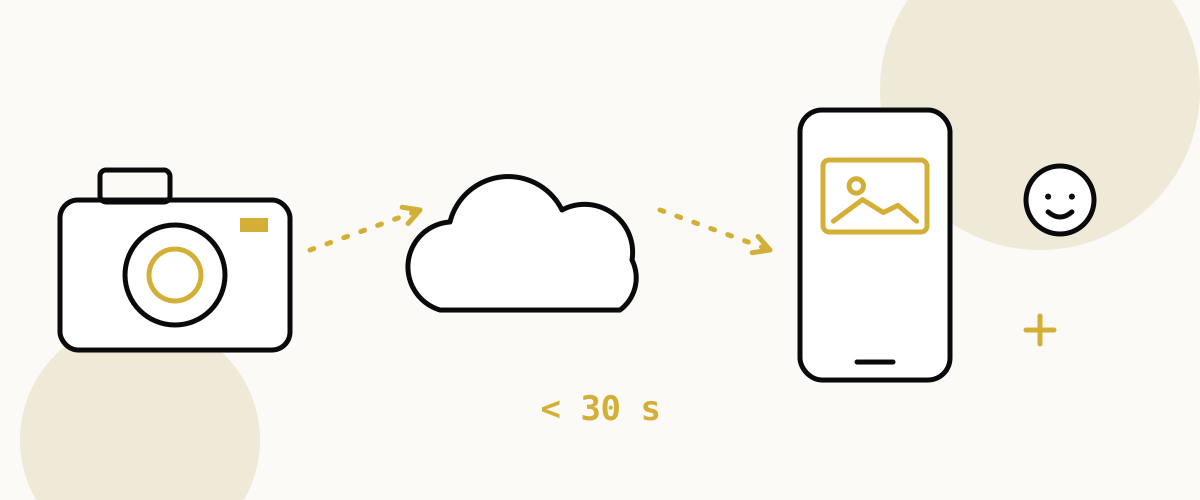
It is 7:42 in the evening. The varmala has just happened, the crowd is cheering, and Meera's cousin Arjun is caught mid-laugh behind the bride.
The photographer presses the shutter once. Click.
By the time Arjun has found his seat again, that photo is on his phone. Let's follow it and see how it got there.
One click, and the clock starts
Inside the camera, the photo is just a file on a memory card. On an ordinary day it would stay there until the photographer goes home, copies everything to a laptop, edits for a week and sends a link.
Live sharing changes one thing. The photo has to leave the camera now, not next week.
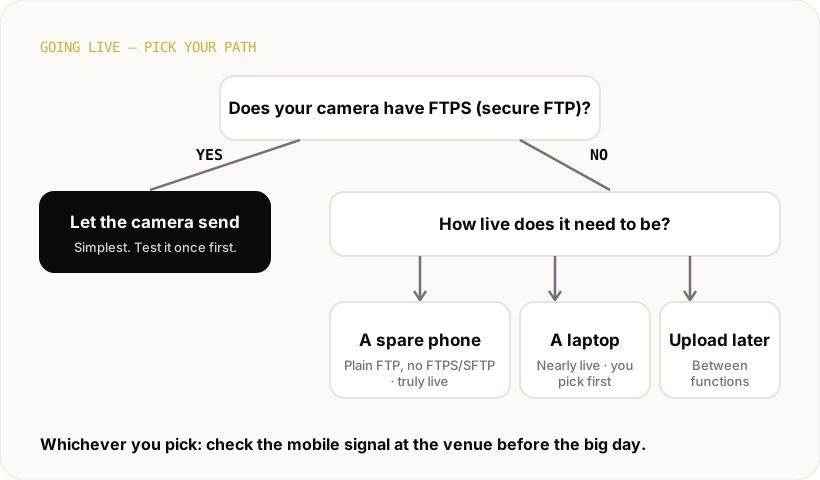
There are four ways it can do that. You can pick one, or mix them on the same event.
Four doors out of the camera
The camera sends it by itself. Many Sony, Canon and Nikon bodies have a setting called FTP. It lets a camera post photos straight to a computer on the internet, which techies call a server. Snapseek uses the locked, encrypted version, called FTPS, so nobody along the way can peek. The photo leaves the moment the shutter fires. Here's how I set it up the night before a wedding.
A spare Android phone carries it. If the camera has plain FTP but no FTPS/SFTP, a phone running the Snapseek Relay app can catch each photo. The camera connects to the phone by the phone's hotspot (the phone makes its own little Wi-Fi network), by the venue Wi-Fi, or by a USB cable. The phone resizes the photo and sends it up over mobile data within seconds. Here's the full Relay setup.
A laptop folder syncs it. Some photographers shoot with the camera plugged into a laptop, so every photo lands in a folder. A small sync script from the event page watches that folder and sends new photos up as they arrive.
You upload between functions. No gadgets at all. After the haldi, before the sangeet, you drag a batch from your phone or laptop into the event. Not instant, but guests still get photos the same day.
The first two doors are on the Pro and Business plans. Relay is still in beta and works on Android only.
The photo lands in the gallery
Whichever door it took, Arjun's photo now arrives in the event's gallery in the cloud.
When the photographer uploads live, this whole trip takes under 30 seconds from the click. The photographer's own event page refreshes by itself, so they can watch new shots pop in while they work.
The full gallery stays with the host and the photographer. Guests never scroll through everyone else's pictures.
A quiet look for faces
Next, Snapseek looks at the photo and finds the faces in it. Arjun's laughing face, the bride's, the groom's, and the blurry uncle at the edge.
It doesn't need names. It just remembers what each face looks like, so it can match it later when that person asks.
This face data is never sold, never shared, never used for ads, and never matched against other events. When the event is deleted, it goes too.
Arjun takes one selfie
Near the entrance there is a small standee with a QR code. Arjun scans it with his phone camera.
A page opens right in his browser. No app to install, no account to create. It asks for one selfie, or he can pick a photo of himself he already has.
Within seconds, he sees every photo he's in. Including the laugh from a few minutes ago. Only his photos, nobody else's.
The big screen joins in
Some couples add a live wall. It is a TV or projector at the venue showing the newest photos as they arrive, with a "scan to find yours" QR in the corner.
So the same photo might flash up on the big screen while Arjun is still holding his phone. Aunties point. Someone scans. A small crowd forms around the QR.
Back to the varmala
One click at 7:42. A short trip through one of four doors, a gallery, a quick look for faces, and a selfie.
Arjun forwards the photo to his mother before dessert is served. The photographer never stopped shooting.
If you shoot events and want your photos to travel that fast, Snapseek is built to make that trip for you.