For photographers
My Camera Has No FTPS/SFTP. So I Gave It a Phone.
Snapseek · · 4 min read
Farhan's camera has shot more than a hundred weddings. The grip is worn smooth. The colours are just how he likes them.
It does have FTP, the setting that lets a camera send photos by itself. But only the old, plain kind, with no FTPS or SFTP (the secure versions). Snapseek's server only accepts FTPS, the locked and encrypted version, so Farhan's camera had no way to send straight to the event. When a couple in Lucknow asked for live photos at their nikah, he almost said no.
Then he found an old Android phone in his drawer.
A phone that works as the camera's assistant
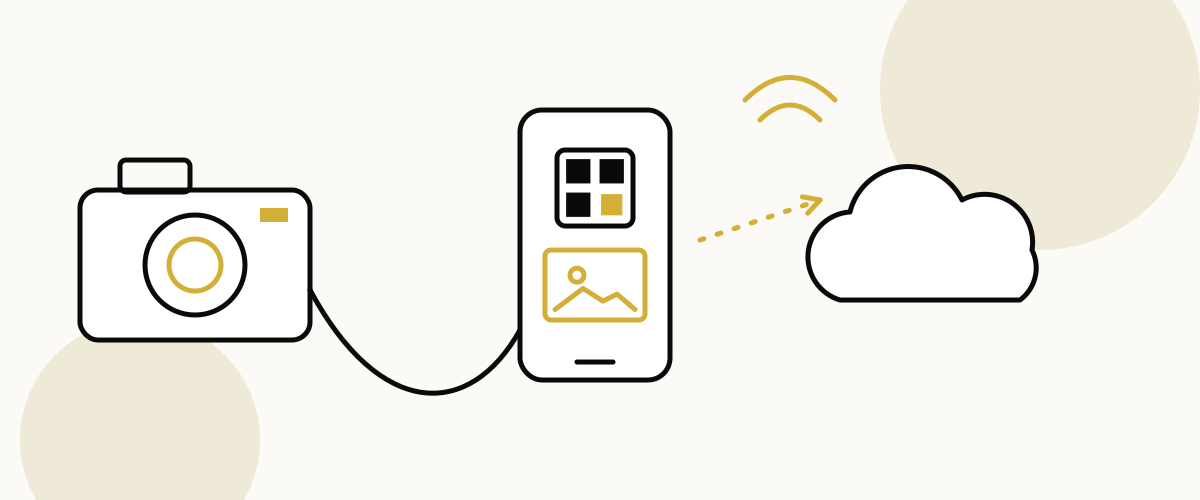
Snapseek Relay is an app for a spare Android phone. The camera hands each photo to the phone, and the phone sends it to your Snapseek event over mobile data.
It resizes each photo, uploads it within seconds, and shows you the status of every single shot. It's made for cameras that have plain FTP but no FTPS/SFTP. The camera sends over plain FTP to the phone sitting right next to it, and the phone does the secure upload. If your camera has no FTP at all, Relay can't help it, but a laptop or uploads between functions can.
A few honest notes first. Relay is on the Pro and Business plans. It is still in beta. And it runs on Android only, not iPhone.
It helps even with cameras that do have FTPS: the phone's hotspot and mobile data mean the venue Wi-Fi no longer matters.
Three ways to hold hands
The camera has to connect to the phone somehow. Relay's setup guide offers three choices.
Hotspot. The phone makes its own little Wi-Fi network and the camera joins it. This is the most reliable at venues, because you aren't fighting 300 guests for the hall's Wi-Fi.
Wi-Fi. Both the camera and the phone join the venue's Wi-Fi. Fine if the venue network is strong and quiet.
USB. A cable from camera to phone. No wireless at all, so nothing to drop out. Handy when the air is crowded with signals.
Setting it up, the evening before
Farhan did this at his dining table.
- Installed the Snapseek Relay app on the spare phone.
- Opened his event on the Snapseek dashboard and tapped Phone relay QR.
- In the app, tapped the QR icon and scanned that code. The phone was now tied to that event.
- Picked hotspot, Wi-Fi or USB in the app's setup guide and followed its steps to connect the camera. For the wireless options, he waited for the address on the phone's screen to settle before typing it into the camera's network / FTP menu. Keep your camera manual handy, since every brand's menu looks different.
- Pressed play in the app to start the relay.
- Took a test shot of his cat.
Watching the first photo fly
A tile appeared on the phone almost at once. It moved through its little journey: received, resizing, queued, uploading, done.
Then it showed up on the event page on his laptop. The cat, now in the cloud, looking unimpressed.
If photos repeat or get turned away, the app keeps a count of duplicates and rejects. And if support ever needs to help, a Share diagnostics button sends them the app's log.
Nothing goes out without a nod
Farhan worried about one thing. What if a blurry or awkward frame reached a guest before he saw it?
Relay has a setting called Manual review before upload. It's off by default. When it's on, every photo waits on the phone as "held".
- Tap a photo to send it.
- Long-press to throw away a test or blurry frame.
- Tap Upload all to send everything that's waiting.
He turned it on for the nikah and off for the reception, when speed mattered more.
What went in the bag
The Relay guide suggests a small field kit, and Farhan packed all of it:
- The spare Android phone, with a SIM on a different network than the venue's internet
- A power bank and cable for the phone
- For the cable method: a USB OTG cable that fits the camera, plus a powered OTG hub or splitter, because a plain OTG cable stops the phone from charging
- Phone hotspot switched on before setting up the camera
Charge everything the night before. A dead relay phone is just a phone.
The drawer phone's big night
At the nikah, Farhan shot the way he always does. The old phone sat in his bag, quietly passing photos along.
By the time the dessert counter opened, guests were scanning the QR, taking a selfie, and finding themselves. Nobody asked what camera he used.
Curious about the full trip a photo takes after it leaves the phone? Here's how camera-to-cloud works. Snapseek Relay is our way of making sure a good old camera never has to sit out.